Pq · Community module
Phreeqc
Run PHREEQC from a project that keeps inputs, databases, parameters and results together. PHREEQC is bundled, nothing else to install.
Included free in every edition of GibbsStudio.
What Phreeqc does
- Phreeqc Lab
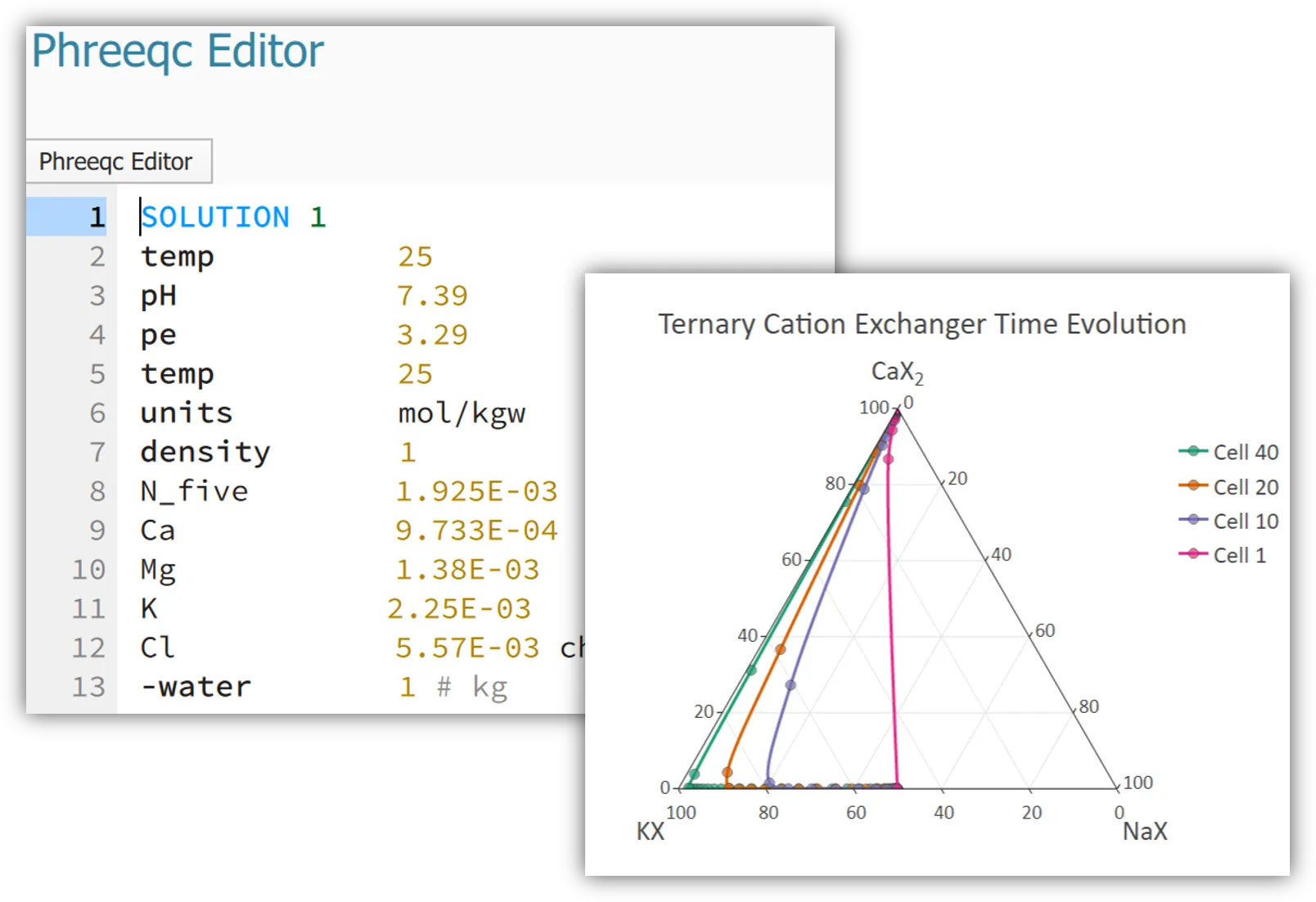
- Edit PHREEQC inputs with keyword autocomplete, manage thermodynamic databases and selected output definitions in one place.
- Parameterized inputs
- Replace any value in an input with a parameter or a mathematical expression, then run the model for every combination you need.
- Phreeqc Study
- Every run keeps its output files and selected output tables, ready to filter, tabulate and plot without copying data around.
- Your existing models
- Import existing .pqi inputs and databases as they are, or drop a PHREEQC input on the window: it opens as a new project with its selected output already in a lab. GibbsStudio uses the original PHREEQC engine and saves the original output.
Typical uses
- Speciation and saturation index calculations
- Reactive transport and cation exchange columns
- Sensitivity runs over temperature, pH or composition
Other modules
01CommunityAkvaIon balance, water types, irrigation indices and the three diagrams03ProPredominancePredominance, Pourbaix and mineral stability diagrams04ProStatisticsMonte Carlo uncertainty, reproducible sampling and PCA05ProOptimizationFit kinetics, isotherms and titrations to lab data06ProDatabaseLook inside a thermodynamic database, and compare several
Bring your existing PHREEQC models
Inputs and databases import as they are. PHREEQC is bundled, so you can start in minutes.